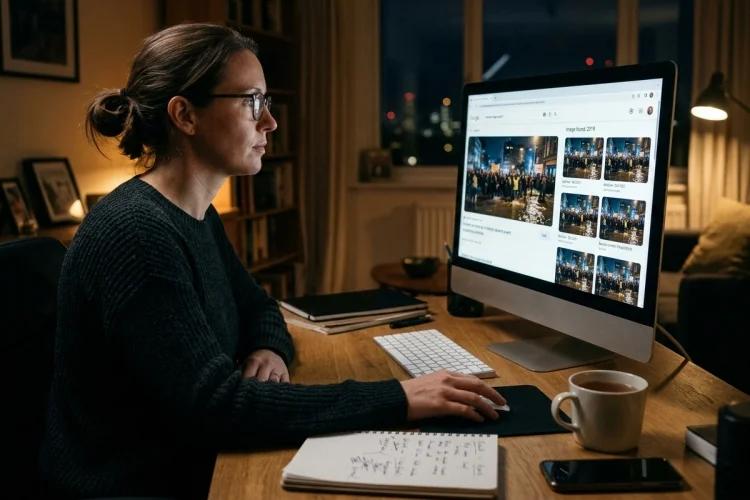
A dramatic photo appears on social media showing a flooded city, a huge protest, or a celebrity doing something unexpected. The caption says it happened today, and thousands of people are already sharing it.
But is the picture really from that event?
This is where reverse image search becomes incredibly useful. Instead of searching the internet with words, reverse image search lets you use a picture itself as the starting point. The search tool then looks for matching or related copies that have appeared elsewhere online.
That can help you discover whether a supposedly new photograph is actually several years old, whether it originally came from another country, or whether someone has cropped or edited it.
Tools such as Google Lens and TinEye make this process accessible even if you have no professional fact-checking experience. TinEye, for example, describes reverse image search as a way to trace where an image came from, see how it has been used, and locate modified versions.
For anyone trying to navigate misinformation online, that is a valuable skill.
What Is Reverse Image Search?
A normal internet search begins with words.
You might type:
“flood in London today”
and receive webpages, news reports, videos, and pictures related to those keywords.
Reverse image search works differently. You start with an image by uploading it, pasting it, providing its URL, or selecting it through a compatible search tool.
The system then analyzes the picture and attempts to locate matching or related images on the web.
TinEye, for example, uses image-recognition technology rather than simply relying on filenames, metadata, or watermarks.
Its system creates a digital representation of the submitted image and compares it against images in its index. It can detect versions that have been resized, cropped, or otherwise changed.
This makes reverse image searching useful for more than simply discovering similar photographs.
It can become a basic verification tool.
How Reverse Image Search Reveals Old Pictures
One of the most common forms of visual misinformation is not a completely fake image.
It is a real image used with a false caption.
Imagine a photograph showing a dramatic wildfire.
Someone posts it online with the caption:
“Breaking: Massive wildfire happening outside Los Angeles right now.”
The photograph looks convincing because the fire itself is real.
But a reverse image search might reveal that the same picture appeared on a news website seven years earlier during a wildfire in another country.
Suddenly, the problem becomes obvious.
The photograph was authentic, but its new context was false.
Google’s “About this image” feature is designed to provide this kind of background information in supported regions. It can show information about where an image has appeared online and when Google first encountered similar versions of it.
That historical trail can be extremely useful when a viral post claims that an old photograph shows a current event.
It Can Help Find the Original Source
Another useful goal is finding where a picture came from originally.
Suppose you see an incredible wildlife photograph shared by an anonymous account.
The post provides no photographer, date, or location.
A reverse image search may lead you to an older version on a photographer’s website, a newspaper article, an image agency, or another source that provides the missing context.
TinEye allows users to sort results in different ways, including looking for older matches and larger versions of an image. It also provides tools for comparing an uploaded image with matching versions found online.
Finding the earliest available match does not always prove that you have discovered the absolute original. Search engines do not index every webpage on the internet.
Still, an older appearance can provide an important clue.
For example, if someone claims that a photograph was taken yesterday but you find an identical copy published in 2019, you already know that the new caption cannot be accurate.
Reverse Image Search Can Expose False Identities
Reverse image searching can also help when photographs are attached to the wrong person.
This happens in scams, fake social media profiles, breaking-news events, and viral rumors.
Imagine that someone creates a dating profile using photographs stolen from another person’s Instagram account.
A reverse image search might reveal that the same photograph appears under a different name on older websites or social media pages.
The technique can also help during fast-moving news events.
In 2024, Reuters fact-checked viral posts that falsely identified a transgender woman as the person who attempted to assassinate Donald Trump.
Reuters reported that the woman’s photograph had been falsely connected to the shooter; the woman herself had also used reverse image search while investigating how her picture was being misused.
Cases like this show why visual verification matters.
A photograph may be completely genuine while the identity attached to it is entirely false.
It Helps Detect Cropped and Modified Images
Misleading images are sometimes altered rather than simply reposted.
Someone might crop out an important person, remove surrounding context, add text, change colors, or combine visual elements.
Reverse image search can sometimes locate earlier versions.
TinEye specifically allows users to compare a submitted picture with matching images found online, making it easier to notice differences between versions. Its recognition system can also identify matches that have been cropped, resized, or modified.
Imagine a viral photograph showing one politician apparently standing beside a controversial figure.
A search discovers an older version of the same photograph where several additional people are visible.
The cropped image may not technically contain fabricated pixels, but removing the surrounding people could create a very different impression.
This is why checking the full original image can matter just as much as asking whether a photograph has been digitally manipulated.
How to Perform a Reverse Image Search
You do not need specialist software.
1. Using Google Lens
On compatible Google services, you can upload an image, select a picture, or use a screenshot with Google Lens.
The results may show visually related images, webpages where the picture appears, and additional contextual information.
Google’s “About this image” feature can also provide information about previous appearances of an image where the feature is available.
2. Using TinEye
TinEye offers a more dedicated reverse-image-search approach.
You can upload an image, drag and drop it, paste it from your clipboard, or provide an image URL. TinEye says its index currently contains more than 85 billion images and allows users to sort and compare results.
Once results appear, do not simply look for an identical picture.
Open the pages containing older copies and investigate the dates, captions, creators, and context.
If one search engine produces nothing useful, try another. Digital investigation group Bellingcat has long recommended using multiple image-search tools because different engines can produce different results.
How to Read Reverse Image Search Results Carefully
Finding a match is only the beginning.
Suppose your search returns 40 copies of the picture.
Do not automatically assume the first result is the original.
Check publication dates where possible. Look at which organizations published the picture and whether they credit a photographer or source.
Then compare the captions.
Perhaps one webpage says the photograph shows flooding in India while another social media account claims it shows flooding in Australia.
Search for additional credible reporting to determine which context is supported.
You can also examine the largest or least modified version available. Higher-resolution copies may reveal details that disappear in screenshots, such as signs, landmarks, clothing, license plates, or other contextual clues.
TinEye’s sorting options can help users find larger images as well as older or more heavily modified matches.
Think of reverse image search as the start of an investigation, not an automatic truth detector.
What Reverse Image Search Cannot Prove
Reverse image search is powerful, but it has limits.
If an image has never appeared publicly online-or has not been indexed by the search service-you may receive no useful results.
That does not prove the image is authentic.
TinEye explicitly notes that its results depend on what exists in its own web index. A lack of matches simply means the service did not find a corresponding image there.
New AI-generated images can create an additional challenge.
A completely new synthetic image may have no older copy to discover. In those cases, you may need to examine the source, visual inconsistencies, surrounding story, available provenance information, and independent reporting.
Reverse image search is therefore best used together with other verification methods.
Check the publisher. Search the claim separately. Find original reporting. Examine dates and locations. Look for credible independent confirmation.
No single tool should make the entire decision for you.
Use Reverse Image Search Before Sharing Viral Pictures
Visual content creates strong emotional reactions.
A frightening disaster photograph, shocking political image, or touching rescue picture can encourage us to share before we investigate.
That is exactly when verification matters most.
Before forwarding an extraordinary image, save it or take a screenshot and run a reverse search.
Look for earlier appearances.
Check whether reputable news organizations have used it.
Compare captions and dates.
If the picture comes from a completely different event, stop the chain instead of adding another share.
This process may take only a minute or two, but it can prevent an old, misleading, or falsely labeled photograph from reaching many more people.
Reverse image search is therefore not just a clever internet trick. It is a practical part of modern visual media literacy.
Reverse image search helps verify online pictures by showing where images have appeared before, identifying older versions, uncovering misleading captions, tracing possible original sources, and revealing cropped or altered copies.
Tools such as Google Lens and TinEye make these techniques accessible to everyday internet users, not just journalists and professional investigators.
However, reverse image search should never be treated as perfect proof. No result does not automatically mean an image is genuine, especially with new photographs and AI-generated content.
The next time a dramatic image appears in your feed, pause before sharing it. Search the picture, check its earliest available context, compare credible sources, and ask whether the caption matches what the evidence actually shows.
One quick search can completely change the story behind a picture.